

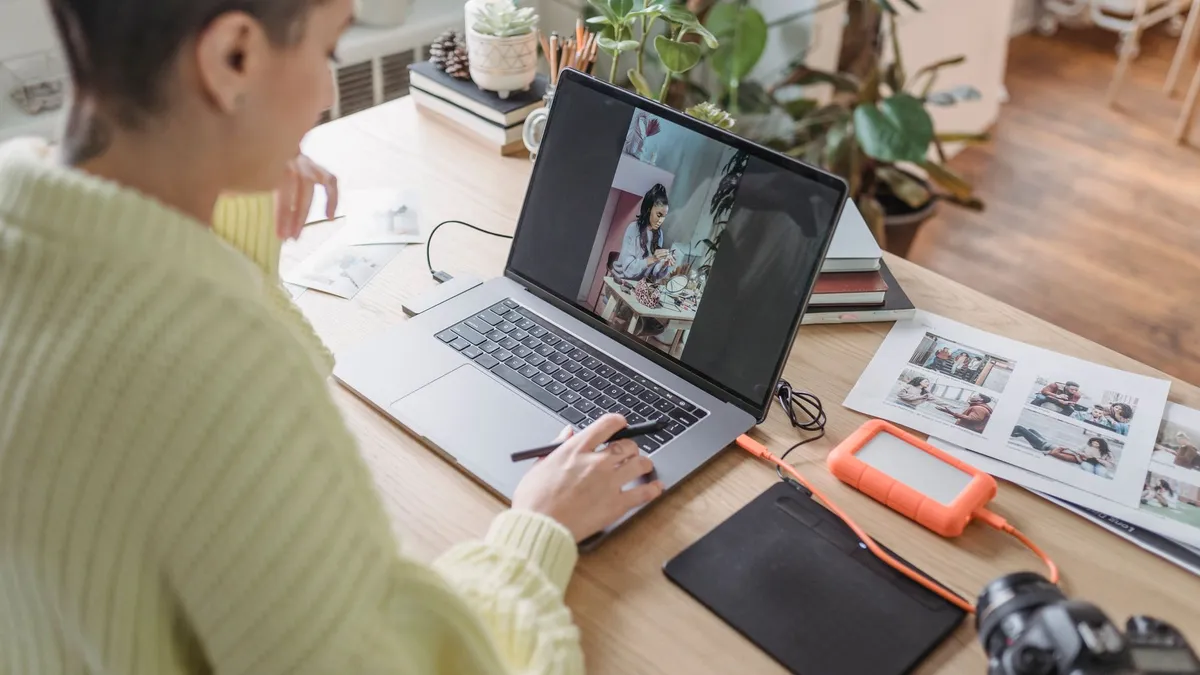
Pinterest Is a Search Engine. Not a Social Network.
Ask most business owners what Pinterest is, and they'll say "a social media platform." That framing is why most Pinterest strategies underperform. Pinterest is a visual search engine. Users arrive with intent: they're searching for home decor ideas, recipe inspiration, product comparisons, and practical guides weeks or months before they buy. The platform indexes those searches, ranks content by relevance, and serves it to users long after the original post date.
That changes what you need from the person managing your account. A social media mindset chases likes and follower growth. A search mindset builds indexed keyword coverage, board topical authority, and content that keeps pulling traffic six months after it goes live.
Pinterest now reaches 640 million monthly active users (Q2 2026), and 97% of its top searches are unbranded. Users aren't searching for your company name. They're searching for what you make, sell, or teach. A dedicated pinterest virtual assistant who understands that distinction, and knows how to position your content in front of those searches, delivers results a social media generalist won't.
This is not a post about what Pinterest is. It is about what a skilled Pinterest VA does, how to evaluate one, and why an AI-trained VA produces meaningfully different output than one who works manually.
What a Pinterest Virtual Assistant Does
A Pinterest VA owns your entire Pinterest workflow from strategy to reporting. They research what your audience searches for, create content that answers those searches, schedule it for consistent distribution, and bring back data on what drives outbound clicks to your site.
Here are the 13 recurring tasks a Pinterest VA handles each week and month:
1. Account Setup and Profile Optimization Converts a personal account to a Business account, enables Rich Pins for products or articles, connects your website domain for verification, and completes keyword-optimized profile fields so Pinterest's algorithm can correctly categorize your niche.
2. Board Strategy and Creation Builds a board architecture mapped to your product categories and audience search intent. Each board functions as a topical cluster (the same logic as content silos in website SEO), signaling category relevance to Pinterest's ranking system.
3. Keyword Research Uses Pinterest's native search bar autocomplete (which reveals what users actually type), the Pinterest Trends tool, and third-party analytics to identify phrases your audience searches regularly. Those keywords then populate board titles, board descriptions, pin titles, and alt text.
4. Pin Design for Static and Video Formats Creates vertical-format pins in Canva, Adobe Express, or similar design tools. A skilled Pinterest VA knows that click-through depends on text legibility at thumbnail size, not just visual aesthetics. An AI-trained VA uses Canva's AI background generation and text tools to produce design variations faster without sacrificing quality.
5. Pin Description Writing Writes keyword-rich, naturally readable descriptions for each pin. This is where SEO discipline matters most. Descriptions stuffed with keywords signal low-quality content. Well-researched descriptions that include 2 to 3 relevant phrases index better, read better, and earn more clicks.
6. Tailwind Scheduling Batches pins and schedules them through Tailwind, which identifies peak engagement windows for your specific audience and distributes content across boards and days without manual effort. Consistent, well-spaced publishing is one of Pinterest's stronger distribution signals.
7. Video Pin Creation and Editing Edits short video pins, typically under 60 seconds, from your existing content: product demos, tutorial clips, behind-the-scenes footage, or Reels reformatted for Pinterest's vertical format. Video pins often earn higher distribution priority on the platform.
8. Competitor Analysis Studies top-performing pins in your niche each month: which formats earn saves, which keywords appear in high-traffic competitor descriptions, and what content gaps your account can fill. This is ongoing research, not a one-time setup task.
9. Group Board and Collaborative Board Management Researches relevant group boards to expand distribution reach, manages outreach for board access requests, and maintains any collaborative boards you co-own with creators in your niche.
10. Pinterest Ads Management Sets up and manages Promoted Pins campaigns for product launches or seasonal pushes. Tracks cost per click and conversion data in Pinterest Analytics and adjusts targeting and creative based on what is performing.
11. Content Repurposing Turns your existing blog posts, YouTube videos, podcast episodes, and Instagram carousels into pin-ready formats. Every piece of content you have already created is raw material for new pins, often targeting keyword variations the original content missed.
12. Analytics and Performance Reporting Pulls monthly data from Pinterest Analytics and Tailwind: impressions, saves, outbound clicks, and click-through rate by board and pin. Delivers a clean summary with data-backed recommendations for the next content cycle.
13. Trend Monitoring and Forward Content Planning Tracks Pinterest Predicts seasonal reports and category search trends to plan content 6 to 8 weeks ahead of peak demand. Pinterest's audience plans earlier than any other platform: holiday content needs to go live in September, not November.
The Tools Your Pinterest VA Should Know
| Tool | Purpose | Why It Matters |
|---|---|---|
| Tailwind | Scheduling, SmartSchedule, analytics | Optimal posting times, batch queuing, board rotation |
| Canva / Adobe Express | Pin design | Fast, on-brand visual creation at scale |
| Pinterest Analytics | Performance data | Impressions, saves, outbound clicks by board and pin |
| Pinterest Trends | Keyword and seasonal research | Search patterns by region and time period |
| ChatGPT / AI writing tools | Description drafts and keyword variants | Speeds up high-volume pin description writing |
| Google Analytics | Traffic attribution | Confirms Pinterest referral traffic reaching your site |
| Later / Planoly | Cross-platform scheduling | Optional if Pinterest overlaps with other social channels |
A VA who knows Tailwind at depth will outperform one who schedules manually. The difference in posting consistency alone (Tailwind's SmartSchedule versus guessing at times) has a real effect on distribution reach and account momentum. A VA who also uses ChatGPT for description drafts and Canva AI for pin variations can produce 120 to 200 pins per month instead of 60 to 80, giving your account far more indexed surface area.
Who Needs a Pinterest Virtual Assistant (and Who Does Not)
Pinterest works best for businesses with visual, aspirational, or searchable products and content. Pinterest users arrive with high purchase intent: they're actively searching for products to buy, not passively scrolling a feed. That makes the platform valuable for any business where discovery drives purchase decisions.
| Business Type | Why Pinterest Delivers | What the VA Prioritizes |
|---|---|---|
| Ecommerce stores | High purchase intent, product discovery browsing | Product pins, shop catalog, seasonal campaigns |
| Bloggers and content sites | Pins index in search and drive referral traffic for months | Blog post pins, keyword SEO, board architecture |
| Interior designers and home brands | One of the platform's top-performing niches globally | Portfolio pins, mood boards, niche board clustering |
| Business coaches and course creators | Planning-oriented audience books well in advance | Lead magnet pins, opt-in landing page traffic |
| Food and recipe brands | Among Pinterest's highest-traffic content categories | Recipe Rich Pins, video pins, seasonal meal content |
| Wedding and events businesses | Long purchase-decision cycles match Pinterest timelines | Inspiration boards, vendor positioning, style guides |
Who should skip Pinterest for now: B2B companies whose buyers are procurement managers or engineering leads, SaaS platforms selling to technical teams, and professional services firms (accounting, legal, consulting) where referrals and credentials drive decisions, not visual inspiration. The platform's traffic exists for those categories, but conversion rates won't justify a dedicated VA.
For a broader look at how VAs handle social media channels, see our guide to social media virtual assistants.
Regular Pinterest VA vs. AI-Trained Pinterest VA
Most guides describe what a Pinterest VA does. Few explain why one trained on AI tools produces meaningfully different results.
The gap is not deeper Pinterest knowledge. It is output volume and research speed. Pinterest rewards consistent, high-frequency publishing of fresh, well-optimized content. A VA working manually is capped at how many pins they can design, describe, and schedule per hour. One who uses AI tools for description drafts, image variations, and keyword clustering operates at a different scale entirely.
| Capability | Regular Pinterest VA | AI-Trained Pinterest VA |
|---|---|---|
| Pin description writing | Manual, one at a time | Drafts keyword-rich variants in ChatGPT, edits for accuracy and brand voice |
| Image creation | Canva templates, standard workflow | Uses Canva AI features for faster visual iteration and design variations |
| Keyword research | Pinterest search bar, manual discovery | Combines Pinterest data with AI-assisted gap analysis and topic clustering |
| Content repurposing | Manual reformatting per asset | Extracts pin-ready content from long-form assets using AI summarization |
| Trend research | Reviewing Pinterest Predicts reports | Organizes trend data into a forward content calendar using AI tools |
| Monthly pin output (estimate) | 60 to 80 pins | 120 to 200 pins |
The volume difference compounds quickly. More high-quality, well-optimized pins means more surface area in Pinterest's index and faster accumulation of indexed content. That is the mechanical advantage behind the traffic numbers.
Every VA placed by Delegated AI completes the Delegated AI Academy before meeting a client. The Academy trains on practical AI workflows, tested on real business tasks, not theory. For a Pinterest VA, that means keyword research, content batching, Tailwind scheduling systems, and performance reporting are already working skills on day one.
What to Look for When You Hire a Pinterest VA
Knowing what a Pinterest VA does is different from knowing how to evaluate one. These are the specific things that separate a strong candidate from an average one. Test for each before you hire.
Traffic data, not follower counts. Ask to see a client account they currently manage, with traffic data. Outbound clicks and monthly impressions matter. Follower count on Pinterest is a vanity metric. Pinterest is a traffic channel, not an audience-building platform.
Tailwind fluency. Ask them to explain their scheduling logic. Can they describe how SmartSchedule identifies optimal posting windows? Can they explain why board rotation matters for distribution reach? A VA who schedules manually is operating at a fraction of their potential output.
Keyword research process. Give them a sample product or blog post and ask for a keyword list and three sample pin descriptions. This tests both their Pinterest SEO thinking and their writing quality in one task.
Algorithm awareness. Pinterest updates its content distribution signals regularly. Ask how they stay current on platform changes. A VA applying two-year-old best practices will run strategies that no longer match how the algorithm works.
Content repurposing instinct. A strong Pinterest VA immediately asks what content you already have: blog posts, videos, product photos, email newsletters. They see your existing library as raw material rather than starting from scratch every month.
Your First 30 Days with a Pinterest VA
Pinterest accounts plateau most often because the VA starts pinning without a strategic foundation. Volume without keyword alignment just fills boards that never rank. The first 30 days are about getting the architecture right before scaling.
Week 1: Audit and Strategy Your VA audits your existing boards, researches the top 5 competitors in your niche on Pinterest, and maps your keyword clusters by product category or content pillar. You review and approve the board structure before any pins are created. This step prevents months of misdirected effort.
Week 2: Foundation Pins Create 30 to 40 foundational pins across your priority boards. These cover your core content: best-selling products, cornerstone blog posts, lead magnets, each optimized for the keywords your audience actually searches. The goal is a strong indexed base before ramping publishing volume.
Week 3: Scheduling and Repurposing Set up Tailwind with a consistent publishing schedule, typically 10 to 15 pins per day spread across boards. Begin pulling your existing content library into new pin formats. A blog post with 10 sections becomes 10 separate pins, each targeting a different keyword variation and linking back to the same post.
Week 4: First Analytics Review Pull baseline data: impressions, saves, outbound clicks, and click-through rate by board and pin format. Identify early signals (which boards and formats are gaining traction) and adjust the month-two content plan based on data, not assumptions.
By month three, a well-run Pinterest account begins to show compounding traffic as indexed pins accumulate. The VA's focus shifts from building to optimizing: doubling down on what earns outbound clicks, pruning underperforming boards, and building seasonal content 6 to 8 weeks ahead of peak search demand.
For more on building a full marketing delegation stack, see our post on digital marketing virtual assistants.
AI Marketing Assistants you can hire at Delegated AI
An AI Marketing Assistant is a trained human who runs your campaigns end-to-end, across Meta and Google ads, GoHighLevel funnels, email, social and content, using AI tools to move faster than an agency. Here are a few you can start with, placed within 48 hours from $8/hr.

Cynthia
AI-Trained Marketing Assistant
Philippines
- Experience
- 5 yrs
- Complexity
- Advanced
5 years agency experience. Runs campaigns end-to-end, drafts content, and builds automated email workflows.
- Canva
- Jasper
- GPT-4
- Mailchimp
Liza
AI Paid Ads Specialist
Philippines
- Experience
- 6 yrs
- Complexity
- Expert
Runs Meta and Google ad accounts and builds GoHighLevel funnels. Tests creative with AI, watches CPA daily, scales what works.
- Meta Ads
- Google Ads
- GoHighLevel
- ChatGPT
Frequently Asked Questions
What does a pinterest virtual assistant do?
A Pinterest virtual assistant manages your entire Pinterest presence: keyword-optimized pin creation, board strategy, Tailwind scheduling, competitor analysis, ads management, and monthly analytics reporting. They treat Pinterest as a visual search engine and focus on building a compounding organic traffic channel rather than chasing follower counts or engagement vanity metrics.
How much does a Pinterest virtual assistant cost?
Freelance Pinterest VAs on Upwork typically charge $10 to $30 per hour. An AI-trained Pinterest VA through Delegated AI starts from $6 per hour. Full-time offshore engagements often run $900 to $1,200 per month, with rates varying by scope and whether ads management is included.
How is Pinterest different from other social platforms for marketing purposes?
Pinterest is a visual search engine: 97% of its top searches are unbranded, so users search by product category rather than brand name. Content shelf life is months to years, not hours. That makes Pinterest management a keyword-SEO task as much as a content task, which is why platform-specific expertise outperforms a generalist approach.
Can my social media VA handle Pinterest, or do I need a dedicated specialist?
A general social media VA can handle basic Pinterest tasks like posting and basic board upkeep. But Pinterest optimization (keyword research, board architecture, Rich Pin setup, algorithm-aware scheduling) requires SEO instincts that a platform generalist often lacks or deprioritizes. If Pinterest is a serious traffic channel for your business, a VA with dedicated Pinterest training produces noticeably stronger results.
How long does it take to see results from a Pinterest VA?
Expect measurable outbound click growth within 60 to 90 days of consistent, optimized publishing. The three- to six-month mark is where compounding becomes visible as indexed pins accumulate and Pinterest's algorithm learns your content profile. Unlike social platforms where posts expire in hours, a well-optimized pin is a standing traffic asset that continues indexing long after it was posted.
What makes an AI-trained Pinterest VA different from a regular one?
An AI-trained Pinterest VA uses ChatGPT for keyword-rich pin descriptions and Canva AI for visual variations, typically doubling output compared to a VA working manually. Because Pinterest rewards frequent, fresh publishing, that volume advantage translates directly to broader index coverage and faster traffic growth for your account.