
Emeka O.
Construction Automation Specialist
Six years on inbound teams. Wires Claude into your inbox so every lead gets a fast, qualified reply and lands in the CRM before you read it.
- Claude
- n8n
- HubSpot
- Slack
 Delegated AI
For general contractors and specialty trades. First automation live inside Procore in week one.
Emeka O.
Construction Automation Specialist
Six years on inbound teams. Wires Claude into your inbox so every lead gets a fast, qualified reply and lands in the CRM before you read it.

Maria GomezContent Writer, Delegated AIWrites Delegated AI's guides on automation and delegation.
A construction automation specialist builds the workflows that chase subcontractor bids, route change orders for approval and send progress reports to owners without a project manager doing it by hand. They work inside Procore, Buildertrend, QuickBooks and DocuSign, wiring AI in where a follow-up message or a document has to go out on a deadline.
Last updated
Your estimator sent ITBs to thirty-five subs on Monday. By Thursday you still do not know who is bidding and who went dark. Meanwhile the approved change order from last week is sitting in someone's inbox waiting for a subcontract amendment that nobody has drafted.
A bid that goes unanswered means fewer quotes per trade, thinner coverage and a number you submit without enough competition behind it.
Every subcontractor who went quiet after an ITB gets a follow-up without the estimator lifting a finger.
Approved change orders trigger a subcontract amendment and DocuSign envelope the same day.
Weekly owner reports pull from Procore daily logs and go out every Friday without a PM assembling them.
One specialist, one flat price, and every workflow they build belongs to you.
A dedicated specialist covering your build hours, from ITB follow-up and change order routing to the Friday owner report.
No setup fee. No contract. Stop whenever you want.
Never scoped, never billed per project. The backlog just keeps moving.
Everything is built in your own tools. Cancel and it all keeps running.
A short Friday note on what was automated this week and the hours it saves you.
Academy-trained, background-checked, least-access credentials.
| Delegated AI specialist | Freelance consultant | Automation agency | Doing it in-house | |
|---|---|---|---|---|
| What you pay | One flat monthly rate for 20 hours a week | $75 to $150 an hour | A project fee, then a retainer | A PM's evenings, or a new hire |
| Knows construction software | Placed from project management and field ops backgrounds | Depends entirely who you get | Sometimes, on the senior accounts | You do |
| First workflow live | Week one | After scoping and a signed statement of work | After discovery and onboarding | Between site visits, eventually |
| Works in your project software | Procore, Buildertrend, Sage, PlanGrid, whatever you run | If they have used it before | Often only their supported stack | Yes |
| Change order turnaround | Routed and chased the same day it is approved | Billed by the hour | Quoted as a new project | Whenever someone gets to it |
| If you stop | Every workflow keeps running in your accounts | You inherit whatever is documented | Access can end with the contract | Nothing changes |
The consultant and agency columns describe how those engagements are usually structured, not any one firm. Your own quote is confirmed on the intro call.
Your specialist comes AI-trained and fully fluent in:
 Claude
 Zapier
 n8n
n8n Google Sheets
 Airtable
 Slack
Slack Gmail
Gmail Twilio
 HubSpot
Thursday 8:02 AM
Friday 9:11 AM
Tuesday 3:44 PM
We used to lose track of which subs had sent bids and which had gone quiet. Within the first week every ITB had a follow-up going out automatically and our quote coverage on each trade doubled.
 Greg T.Estimator, general contracting firmVerified client
Change orders were piling up waiting for someone to draft the subcontract amendment. That bottleneck cleared in the second week. Now the paperwork goes out the same day the owner signs.
 Linda M.Project Manager, commercial contractorVerified client
Month-to-month, cancel whenever you want. If your specialist is not the right fit, we replace them free. And every workflow lives in your own accounts, so it stays yours either way.
5
Every specialist is matched by hand to your stack, your tools and your timezone, which caps how many businesses we can start properly. When this month is full, the next start date is the following month.
One flat fee.
Your dedicated AI Automation Specialist for Construction, 20 hours a week.
Month-to-month. No setup fee. Cancel anytime and keep every workflow.
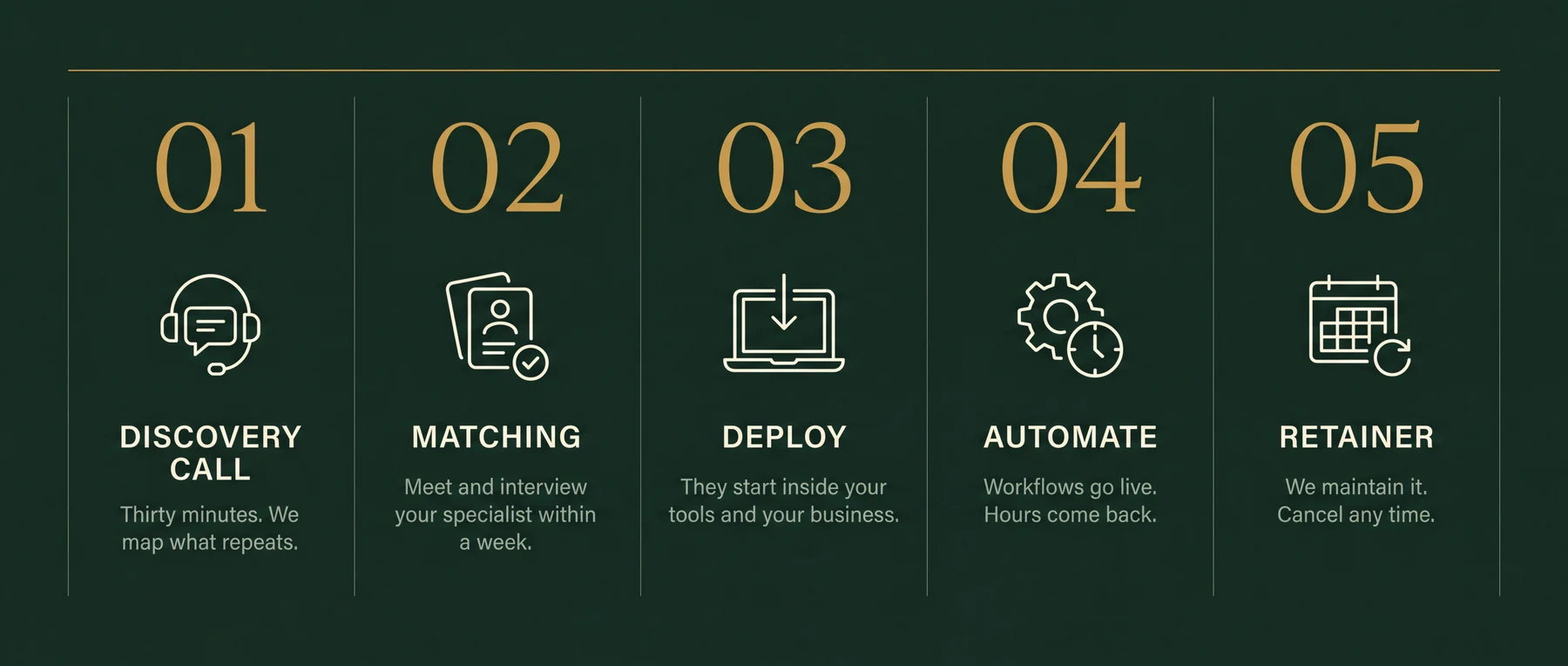
Thirty minutes. Bring your messiest week. You leave with the three workflows worth automating first, sequenced and yours to keep. If we're a fit, your specialist starts within a week.
Subcontractor ITB follow-up and bid tracking, change order routing and DocuSign dispatch, weekly owner progress reports, lien waiver reminders, subcontractor scheduling notifications when the schedule shifts, and job cost data moving between Procore and QuickBooks. The intro call maps which of those is costing the most time right now.
Yes. Procore is the most common starting point. Your specialist connects to Procore's API or uses Zapier and Make connectors to trigger automations from project events: a CO approval, a new RFI, a completed daily log. They build around whatever your team already runs.
Yes. Buildertrend's API and webhooks connect to the same automation layer. Residential builders and remodelers on Buildertrend typically start with bid request follow-up and client selection reminders before moving to scheduling and change order flows.
Your specialist sets up a sequence that monitors who has opened an ITB and who has not responded within a set window. Non-responders get an automatic follow-up from your estimating email. Bids that come in are logged in your tracking sheet or bid management tool. Nobody pulls a list or chases subs by hand.
Yes, and this is usually the second build. When a change order is approved in Procore or Buildertrend, the automation drafts the subcontract amendment, creates a DocuSign envelope and sends it to the right sub. Signed copies are filed back in the project folder.
When a schedule date shifts in Procore or Buildertrend, the automation identifies which trades are affected and sends them a text or email with the new date and phase. No superintendent has to call down a list.
Yes. Moving approved change orders into QuickBooks job cost codes, syncing Procore commitments to vendor bills, and flagging budget variances are all common builds. Your specialist connects the two systems so the accounting side stays current without a manual export.
No. You describe what is taking too long and approve the plan. Your specialist picks the tools, handles the API connections and builds it.
Most project managers say that before the call and find ten hours of weekly admin during it. Building is front-loaded: once bid follow-up is running, those hours move to change orders, then to owner reporting and subcontractor notifications rather than going unused.
Thirty minutes on your messiest week. The three workflows worth automating first are yours to keep either way.