
Rafael M.
B2B SaaS Automation Specialist
Seven years in back-office finance ops. Builds Claude agents that assemble Monday's reporting and chase every unpaid invoice on their own.
- Claude
- Make
- Airtable
- Zapier
 Delegated AI
For B2B SaaS teams. First automation live in Intercom or HubSpot within week one.
Rafael M.
B2B SaaS Automation Specialist
Seven years in back-office finance ops. Builds Claude agents that assemble Monday's reporting and chase every unpaid invoice on their own.

Maria GomezContent Writer, Delegated AIWrites Delegated AI's guides on automation and delegation.
A B2B SaaS automation specialist builds the workflows that move new users through Intercom onboarding sequences, surface churn signals from Mixpanel health scores, and fire upsell alerts into HubSpot before an account goes quiet. They connect Segment event streams, Slack alerts and your CRM so customer success acts on product signals the day they appear.
Last updated
Your Intercom onboarding sequence fired when the account signed up and never adjusted. Three users in that account completed step one and stopped. Nobody on your CS team saw it because the health score in Mixpanel doesn't feed into HubSpot, the Slack alert goes to a channel nobody watches, and the renewal is in four months anyway. Then you get the cancellation email.
A churned account at month three is a lost contract you cannot recover, and the CS team that should have intervened was the last to know the account was struggling.
Users who stall mid-onboarding trigger a targeted Intercom message and a CSM task in HubSpot before they disengage.
A health score drop in Mixpanel creates a Slack alert and a HubSpot follow-up task for the account owner within the hour.
When an account crosses a seat or credit threshold in Segment, an upgrade prompt goes to the right user and an expansion note lands in the CRM.
One specialist, one flat price, and every workflow they build belongs to you.
A dedicated specialist covering your SaaS ops hours, from onboarding sequence tuning and ticket triage to churn alert routing and usage-based upsell triggers.
No setup fee. No contract. Stop whenever you want.
Never scoped, never billed per project. The backlog just keeps moving.
Everything is built in your own tools. Cancel and it all keeps running.
A short Friday note on what was automated this week and the hours it saves you.
Academy-trained, background-checked, least-access credentials.
| Delegated AI specialist | Freelance consultant | Automation agency | Doing it in-house | |
|---|---|---|---|---|
| What you pay | One flat monthly rate for 20 hours a week | $75 to $150 an hour | A project fee, then a retainer | A CS ops hire or an engineer's side work |
| Knows SaaS tooling | Placed from CS ops, growth and SaaS ops backgrounds | Depends entirely who you get | Sometimes, on the senior accounts | Your team, stretched across product and CS |
| First workflow live | Week one | After scoping and a signed statement of work | After discovery and onboarding | Between sprints, eventually |
| Works in Intercom and Segment | Intercom, HubSpot, Segment, Mixpanel, Slack, whatever you run | If they have used it before | Often only their supported stack | Yes, when engineering has time |
| Churn signal to CS task | Health score drop triggers a HubSpot task the same day | Billed by the hour to set it up | Quoted as a new project | Someone notices at the next team meeting |
| If you stop | Every workflow keeps running in your accounts | You inherit whatever is documented | Access can end with the contract | Nothing changes |
The consultant and agency columns describe how those engagements are usually structured, not any one firm. Your own quote is confirmed on the intro call.
Your specialist comes AI-trained and fully fluent in:
 HubSpot
 Slack
Slack Notion
 Stripe
 Claude
 Zapier
 n8n
n8n Airtable
 Google Sheets
 Gmail
GmailWednesday 9:04 AM
Friday 2:31 PM
Monday 8:47 AM
Our onboarding sequence had been the same for eighteen months. The first thing the specialist found was a step where 60% of new users stalled and never came back. By end of week one there was a targeted Intercom message and a CSM task firing on that exact event. The drop-off list cleared noticeably.
 James R.Head of Customer Success, B2B SaaS companyVerified client
We had churn signals sitting in Mixpanel that nobody acted on because they never made it to HubSpot. Within the second week every health score drop was creating a task for the right account owner before the end of the business day. We caught two at-risk renewals we would have missed completely.
 Sarah K.Founder, B2B SaaS startupVerified client
Month-to-month, cancel whenever you want. If your specialist is not the right fit, we replace them free. And every workflow lives in your own accounts, so it stays yours either way.
5
Every specialist is matched by hand to your stack, your tools and your timezone, which caps how many businesses we can start properly. When this month is full, the next start date is the following month.
One flat fee.
Your dedicated AI Automation Specialist for B2B SaaS, 20 hours a week.
Month-to-month. No setup fee. Cancel anytime and keep every workflow.
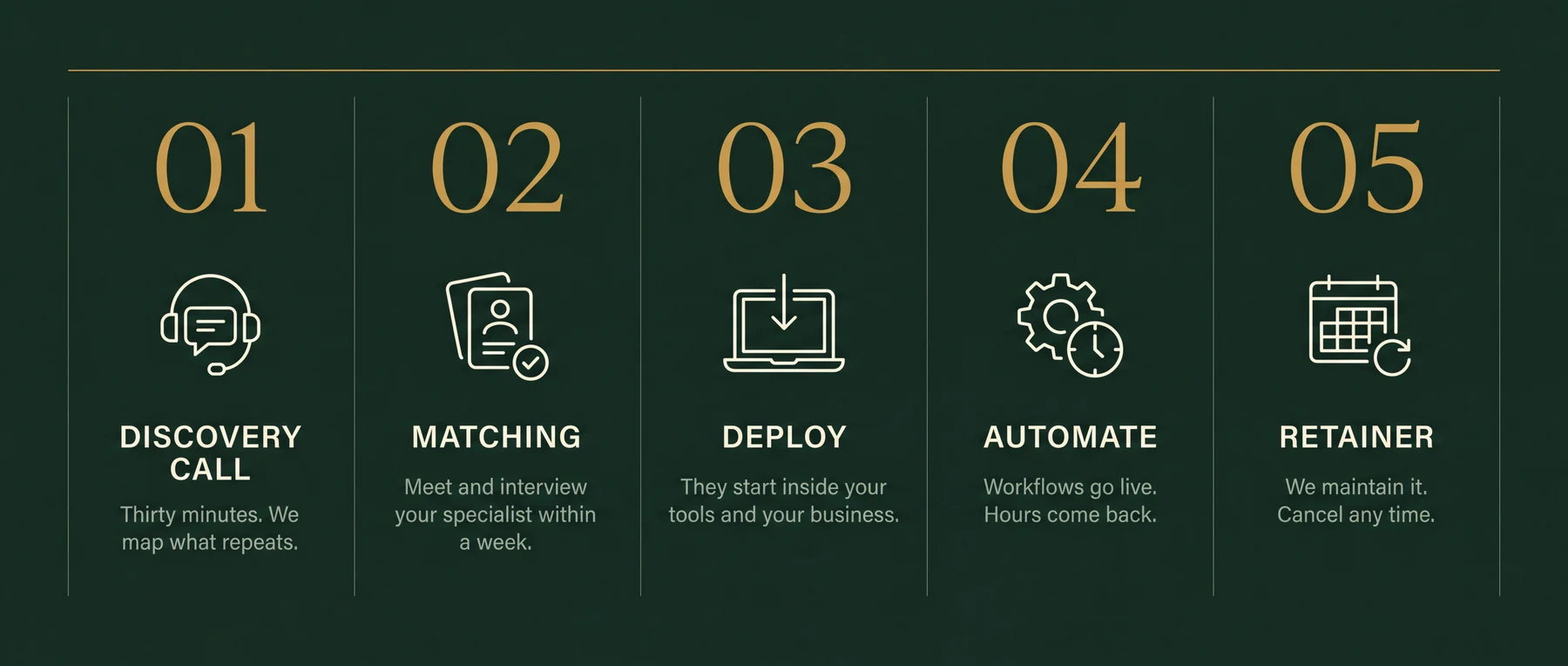
Thirty minutes. Bring your messiest week. You leave with the three workflows worth automating first, sequenced and yours to keep. If we're a fit, your specialist starts within a week.
User onboarding sequences in Intercom that adapt when someone stalls at a step, churn risk alerts from Mixpanel or Amplitude health scores to HubSpot and Slack, usage-based upsell triggers when an account hits a seat or credit limit in Segment, support ticket triage routing by account tier and type, and renewal reminder sequences for CS teams. The intro call maps which of those is costing the most revenue right now.
Yes. Intercom is the most common starting point for SaaS onboarding and ticket triage builds. Your specialist connects to Intercom's API, builds behavioral triggers on product events, and wires them to HubSpot tasks or Slack alerts so CS acts on the signal within hours, not days.
Yes. Connecting Segment event streams to HubSpot or Salesforce is one of the most common builds for SaaS companies. When a product event fires in Segment, the automation can create a contact property update, a deal stage change, or a CS task in the CRM without any manual step in between.
Your specialist identifies the health score inputs that matter for your product, whether that's login frequency in Mixpanel, feature breadth in Amplitude, or support ticket volume in Zendesk. When an account's combined score drops below a threshold, the automation creates a Slack alert and a HubSpot task for the CSM assigned to that account. No one has to check a dashboard.
Yes. When an account crosses a seat limit, credit threshold, or feature gate tracked in Segment or your product database, the automation fires an in-app or email message to the right user and logs an expansion opportunity in your CRM. Your sales or CS team sees the signal with context, not just a raw alert.
Tickets arriving in Intercom or Zendesk are classified by account tier, sentiment and topic using a Claude-powered step before a human reads them. Enterprise accounts are flagged and routed immediately. Churn signals in tickets, a mention of a competitor or a cancellation intent, surface as separate alerts rather than disappearing into a closed ticket.
No. You describe what is slow or falling through the cracks and approve the plan. Your specialist handles the API connections, the Segment pipelines and the Intercom workflow builds. You get a working automation explained in plain terms.
The first automation typically goes live in week one. Most SaaS teams start with either onboarding stall detection or churn signal routing because those are the highest-impact and fastest to build. More complex builds like multi-step upsell sequences follow in weeks two and three.
Yes, and that is the intended setup. The automation handles the signal detection and task creation so the CS team spends their time on calls and relationships, not on checking dashboards or chasing Slack threads. The specialist builds around your team's existing workflow, not around replacing it.
Thirty minutes on your messiest week. The three workflows worth automating first are yours to keep either way.