

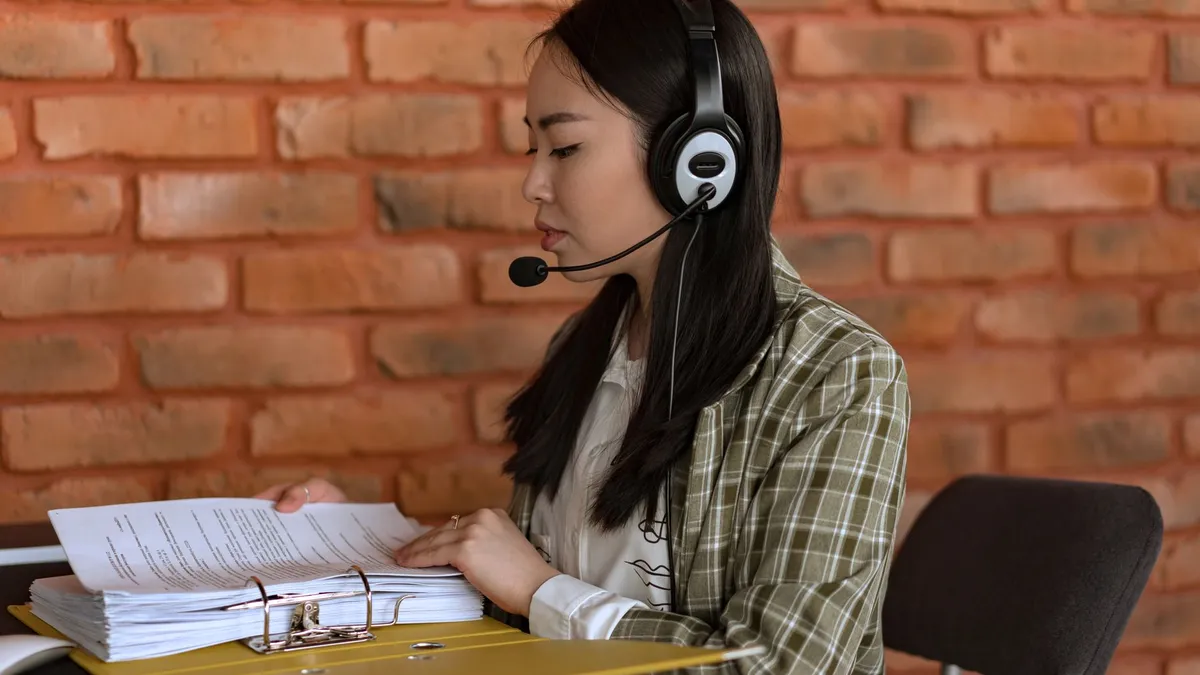
What a Virtual Assistant Receptionist Actually Does
A virtual assistant receptionist is a human VA who manages your inbound calls, schedules appointments, takes messages, and routes inquiries, all from a remote location using VoIP phone systems and scheduling software. This is a person, not an AI phone bot. The role covers the same front-desk work as an in-house hire, without the desk, the benefits cost, or the fixed 40-hour week.
There is a naming overlap worth clearing up early. "Virtual assistant receptionist" sometimes refers to AI phone software, and sometimes refers to a human VA doing receptionist work. This post is about the human. If you are comparing AI phone bots to human VAs, the comparison table below covers that directly.
Most businesses bring in a virtual assistant receptionist for five core reasons: they are missing calls while doing other work, appointment scheduling is eating too much time, lead information is slipping through because intake is inconsistent, the cost of an in-house hire is hard to justify at current call volume, or they need front-desk coverage across more hours than a single employee can provide.
A trained VA receptionist solves all five without adding a full-time role to your payroll.
The Complete Task List: What to Hand Over
This is not a role with a narrow scope. Once your VA has your call script, calendar access, and CRM login, they can run most of your inbound function independently.
Front-Desk Communication
- Answers every inbound call with your company greeting and script
- Transfers calls to the right person or department based on caller need
- Takes messages for unavailable staff and delivers them via email, Slack, or your preferred channel
- Handles basic customer inquiries (hours, location, pricing, services) without escalating
- Follows up on voicemails during business hours and logs outcomes
Scheduling and Calendar Management
- Books, confirms, and reschedules appointments across your team's calendars
- Manages multi-person availability without double-bookings
- Sends appointment reminders to clients (email, SMS, or both depending on your setup)
- Blocks out preparation or travel time between appointments
- Coordinates across time zones when your clients are distributed
Lead Intake and CRM Work
- Captures new lead information on the first call: name, contact details, nature of need, budget range, timeline
- Logs call summaries in your CRM (HubSpot, Salesforce, Zoho, or whatever you use)
- Flags high-priority or time-sensitive leads for immediate follow-up by your sales team
- Updates contact records after every interaction so the CRM stays current
Administrative Support
- Processes voicemails and sends written call summaries to relevant team members
- Handles basic data entry from calls
- Sends follow-up emails or SMS confirmations after bookings
- Manages a shared inbox for general inbound inquiries
For a broader look at admin tasks that map well to a VA role, the virtual assistant administrative support roles list covers the full range.
AI Phone Bot vs Human VA Receptionist: The Real Comparison
AI phone bots have improved significantly. They handle scripted queries well and never take a sick day. But the comparison is not simply "AI is cheaper so use AI." The gap shows up on real calls.
| Factor | AI Phone Bot | Human VA Receptionist |
|---|---|---|
| Scripted FAQ handling | Excellent | Good |
| Nuanced or upset callers | Poor | Excellent |
| Multi-step appointment booking | Limited | Excellent |
| Recognizes caller emotion and adjusts | No | Yes |
| Captures incomplete or messy information | Misses often | Handles well |
| Available 24/7 (with setup) | Yes | Depends on coverage |
| Cost | $25-$300/month flat | From $6/hr (Delegated AI) |
| Setup time | Hours to days | Under 1 week |
| Proactive outbound (confirmations, callbacks) | Limited | Yes |
| Can handle multi-party or conference calls | No | Yes |
The practical outcome most businesses arrive at: an AI phone system handles after-hours and simple repeat queries, while a human VA receptionist manages business-hours interactions that require judgment, empathy, or real-time problem-solving.
Why an AI-Trained VA Changes the Math
A human VA who has been trained on AI tools handles more call volume than a traditional receptionist. The VA uses call transcription software to log summaries instantly after each call, AI scheduling assistants to find the right slot without back-and-forth, and CRM automation to update records in seconds rather than minutes.
Every VA placed through Delegated AI graduates from the Delegated AI Academy, where assistants are trained on practical AI workflows and tested on real tasks before they meet a client. That is the difference between a VA who picks up the phone and one who actually advances your intake pipeline on every call.
What It Actually Costs Compared to In-House
The salary is just the start. The U.S. Bureau of Labor Statistics reported a median annual wage of $38,010 for receptionists as of May 2025. Before you can compare that to a VA, add employer payroll taxes, health insurance contributions, paid time off, equipment, and any office space allocated to the role. The total cost of an in-house receptionist is meaningfully higher than the base salary.
A VA changes that structure:
| Cost Factor | In-House Receptionist | VA Receptionist (Delegated AI) |
|---|---|---|
| Base wage | ~$38,010/yr (BLS median, May 2025) | From $6/hr |
| Employer payroll taxes | ~7.65% FICA + state | None |
| Health insurance | Employer cost | None |
| Paid time off | Employer cost | None |
| Office space and equipment | Yes | None |
| Training time to independence | Weeks | 3-5 business days |
| Coverage hours | 40 hrs/week fixed | Flexible, scale up or down |
| Turnover and replacement risk | Yes | Covered by the placement |
The hourly rate difference is substantial. A VA at $6-$15/hr for 20 hours per week costs a fraction of a fully loaded in-house hire. For businesses that do not need 40 hours of front-desk coverage every week, the savings are even more significant because you only pay for the hours you actually need.
Delegated AI places pre-vetted, AI-trained VA receptionists within 48 hours. Explore role options and rates on the AI-trained virtual assistants page.
Which Industries Rely on VA Receptionists Most
A virtual assistant receptionist is most valuable where call volume is high, where callers need real-time answers, or where a missed call directly means lost revenue.
Law firms. A potential client who does not reach someone on the first call often calls the next firm on their list. A VA receptionist answers every call, collects intake information, and books the consultation, so the attorney's time is spent on qualified leads, not initial fielding.
Healthcare and dental practices. Appointment scheduling, insurance query handling, and patient callback management are predictable, repeatable tasks that suit a VA well. VAs handling healthcare calls should have relevant admin experience and familiarity with your practice management software.
Real estate teams. Between buyer inquiries, listing questions, and showing requests, a real estate team can spend hours a week on inbound calls that do not require an agent. A VA receptionist filters, qualifies, and schedules so agents spend their time on clients who are ready to move. Delegated AI's real estate VA services cover this workflow in detail.
Service businesses. For HVAC, plumbing, landscaping, and cleaning companies, every unanswered call is a job that goes to a competitor. A VA on a consistent schedule keeps the phone answered during business hours without adding a full-time role.
Agencies and consultancies. Client intake calls, project inquiry screening, and general inbound support do not require a senior person. A VA receptionist handles the first contact professionally while your team stays focused on delivery.
Ecommerce brands. Order inquiries, return routing, and customer service calls are high-volume, repeatable tasks that fit a VA receptionist well. Delegated AI's ecommerce VA solutions pair a VA receptionist with customer service workflows for full inbound coverage.
How to Set Up a VA Receptionist in Your First Week
The handoff is simpler than most founders expect. You do not need a lengthy process document or weeks of shadowing. You need three things: a call script, calendar access, and a short onboarding call.
Day 1: Tools and scripts
Share your VoIP number (Grasshopper, Google Voice, RingCentral, Dialpad, or OpenPhone all work) or set up call forwarding to your VA during their shift. Provide a written call script covering your company greeting, answers to common FAQs, escalation criteria for urgent calls, and what to do if a caller asks something the VA cannot answer. Give calendar access with booking permissions.
Days 2-3: CRM and lead intake
Walk your VA through your CRM in a 15-20 minute call. Define what to capture on a new lead call: name, contact method, nature of the need, budget range, and timeline. Set up a shared inbox or message log so every call result is visible to your team.
Days 4-5: Live calls with review
Have the VA handle live calls while you review transcripts or periodic summaries. Give written feedback on tone, script adherence, and how they handle edge cases. Adjust the script for any recurring call type that was not covered.
By the end of week one, your VA receptionist is running independently. Spot-check weekly for the first month, then reduce review cadence as you build confidence in their judgment.
For a related playbook on handing off outbound scheduling to a VA, the remote appointment setter guide covers a parallel handoff process.
What Makes a Great VA Receptionist: Skills and Tools
Not every VA is suited to front-desk work. The role requires specific skills and a willingness to work within defined systems. Here is what to evaluate when you are assessing candidates.
Core Skills
Clear verbal communication. The VA represents your brand on every call. They need to speak confidently, use correct grammar, and match your company tone, whether that is formal or conversational.
Active listening. A lot of caller information is messy. The caller says something in three different ways and buries the actual request halfway through. A strong VA receptionist catches the real question and does not just respond to the surface statement.
Scheduling judgment. Booking appointments sounds simple, but good judgment about prioritization, time buffers, and avoiding scheduling conflicts takes practice. Look for VAs with calendar management experience.
CRM discipline. Every call result needs to be logged accurately. Sloppy CRM entries cause follow-up failures downstream. Ask candidates how they typically document call outcomes.
Calm under pressure. Upset callers, urgent situations, and back-to-back call volume all test composure. The best VA receptionists treat a difficult caller as a solvable problem, not a confrontation.
Tools They Should Know
A strong VA receptionist will be comfortable with most of these, or learn them quickly with light training:
| Category | Common Tools |
|---|---|
| VoIP and call handling | Grasshopper, Google Voice, RingCentral, OpenPhone, Dialpad |
| Appointment scheduling | Google Calendar, Calendly, Acuity, Microsoft Outlook |
| CRM | HubSpot, Salesforce, Zoho CRM, Close |
| Messaging and handoffs | Slack, Microsoft Teams, email |
| Call transcription | Otter.ai, Fireflies, Rev (AI-trained VAs often use these to speed up logging) |
The AI-trained VA has an edge here. Rather than manually writing out call summaries after every interaction, they use transcription tools to generate a draft summary in seconds, then review and log it. Over the course of a day, that time savings compounds.
AI-trained VAs from Delegated AI are already fluent in these tools before day one. The Delegated AI Academy trains every assistant on practical AI workflows so clients do not have to run their own tech training.
What to Assess in an Interview
Run a brief scenario call with any VA candidate you are considering. Give them a mock caller inquiry and listen for:
- Do they stay calm and professional under a slightly confusing question?
- Do they ask the right clarifying questions rather than guessing?
- Do they confirm back what they heard before taking action?
- Do they know how to handle a caller who wants to escalate immediately?
A 10-minute scenario call tells you more than a resume. Most Delegated AI placements include a brief trial period so you can confirm the fit before committing to a longer engagement.
Frequently Asked Questions
What is the difference between a virtual receptionist and a virtual assistant?
A virtual receptionist specializes in front-desk tasks: answering calls, scheduling appointments, taking messages, and routing inquiries. A virtual assistant (VA) is a broader role covering admin, operations, marketing support, research, and more. Most VA receptionists are generalist VAs with a front-desk focus and experience using phone and scheduling tools.
Can a VA receptionist work during my specific business hours?
Yes. VA receptionists work on a defined schedule that you set, matched to your business hours and time zone. You can arrange single-shift coverage, overlap shifts for high-volume periods, or after-hours coverage for urgent calls. The schedule is flexible in a way that a fixed in-house hire is not.
What phone systems do VA receptionists typically use?
Most VA receptionists work with any VoIP system you already have. Grasshopper, Google Voice, RingCentral, Dialpad, and OpenPhone are common setups. Calls are forwarded to the VA during their shift. Many also use shared inboxes and messaging tools (Slack, Microsoft Teams) for message relay and handoffs.
How quickly can I get a VA receptionist placed?
With Delegated AI, placement typically completes within 48 hours. You submit your role requirements, review matched candidates, and select your VA. Onboarding takes another two to five business days before the VA is fielding calls independently. See the process on the AI-trained virtual assistants page.
Is a virtual assistant receptionist the same as an AI receptionist?
No. A virtual assistant receptionist is a human being working from a remote location. An AI receptionist is software, typically a phone bot that runs automated call flows and menu trees. Many businesses use both: AI software for after-hours and simple queries, and a human VA for business-hours calls that require judgment, empathy, or multi-step coordination.
What should I not hand to a VA receptionist?
Highly confidential legal strategy calls, sensitive HR conversations, or anything requiring physical presence. VA receptionists are best suited to the first layer of inbound: answering, routing, scheduling, and capturing. Deeper relationship work and judgment calls that require institutional context typically stay with you or your senior team.